 English
 Afrikaans
 Albanian
 Amharic
 Arabic
 Armenian
 Azerbaijani
 Basque
 Belarusian
 Bengali
 Bosnian
 Bulgarian
 Catalan
 Cebuano
 Chichewa
 Chinese (Simplified)
 Chinese (Traditional)
 Corsican
 Croatian
 Czech
Czech Danish
 Dutch
Dutch Esperanto
 Estonian
 Filipino
 Finnish
 French
 Frisian
 Galician
 Georgian
 German
 Greek
Greek Gujarati
 Haitian Creole
 Hausa
Hausa Hawaiian
 Hebrew
 Hindi
Hindi Hmong
Hmong Hungarian
 Icelandic
 Igbo
Igbo Indonesian
 Irish
Irish Italian
 Japanese
 Javanese
 Kannada
 Kazakh
 Khmer
Khmer Korean
 Kurdish (Kurmanji)
 Kyrgyz
 Lao
Lao Latin
Latin Latvian
 Lithuanian
 Luxembourgish
 Macedonian
 Malagasy
 Malay
Malay Malayalam
 Maltese
 Maori
Maori Marathi
 Mongolian
 Myanmar (Burmese)
 Nepali
 Norwegian
 Pashto
 Persian
 Polish
 Portuguese
 Punjabi
 Romanian
 Russian
 Samoan
 Scottish Gaelic
 Serbian
 Sesotho
 Shona
Shona Sindhi
 Sinhala
 Slovak
 Slovenian
 Somali
 Spanish
 Sudanese
 Swahili
 Swedish
 Tajik
Tajik Tamil
Tamil Telugu
 Thai
Thai Turkish
 Ukrainian
 Urdu
Urdu Uzbek
Uzbek Vietnamese
 Welsh
Welsh Xhosa
Xhosa Yiddish
 Yoruba
 Zulu
Zulu
100%
Drag blue handles, then click Apply Crop
Ready — upload an image to start

Using HD image enhancer tool to seo image optimisation and fix blurry photos online without any Consistency! Now you can modify your image without any difficulties. In this tool, you can convert your image to JPG, PNG, WEBP, or BMP format without using any paid image converter tool like Canva Image Editor, Adobe Image Editor, Mac Image Editor, Windows Image Editor, etc. Its interface is very friendly and easy to use, like a mobile application, making it simple and manageable for both skilled and unskilled users. No upload / browser-based editor.
 Main Features:-
 Image Size (highly compress & increase image size)
 Smart Cropping Tool:
 Enhance Image Quality: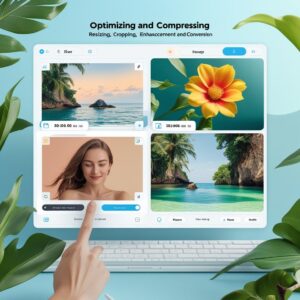
 Multiple Output Formats
 How to Use This Tool?
 Why Use This Image Optimiser?
 Ai photo editor — Optimise Your Images in Seconds →
Achieve the perfect picture with a couple of taps — No registration necessary.


Thanks for providing this tool. It is very easy to use.❤️🩷🧡💛💚💙💜